 X-Shop Education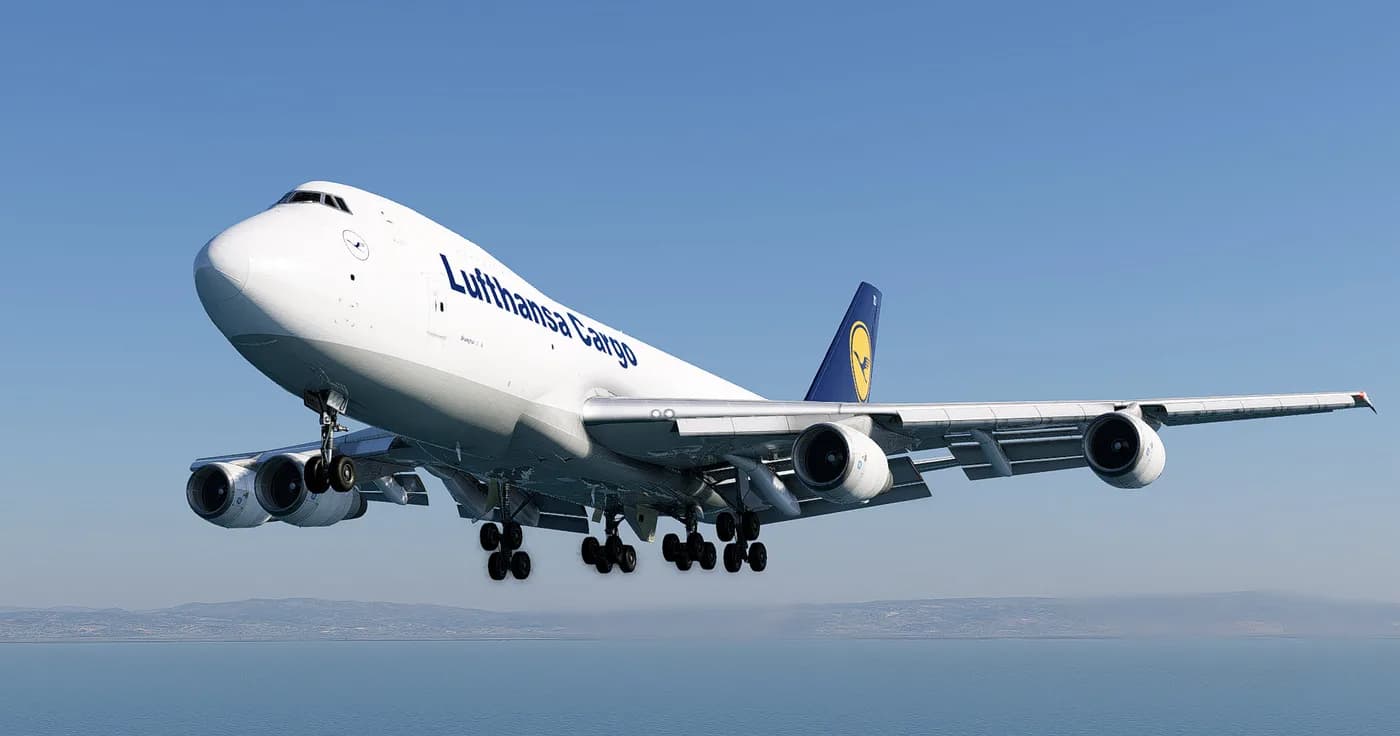
FELIS 747-200F: first flight - step-by-step instructions
A complete guide to the first flight of the FELIS Boeing 747-200F in X-Plane 12. From a cold cockpit to shutting down the engines - no water, just what you really need to do. Suitable for those who just bought the addon and want to immediately lift Classic Queen into the air correctly.
What you need to know before your first flight
FELIS 747-200F is not a modern airliner with FMC and an autopilot that does everything for you. This is a cargo Boeing from the late 70s: analog instruments, INS instead of GPS, a flight engineer on the back and three sets of throttles instead of two. If you have flown on a ZIBO 737 or ToLiSS, forget half of your habits. Everything is different here, and that’s the whole thrill.
Before the first start, make sure that:
- X-Plane 12 has been updated to the latest version
- addon installed in
X-Plane 12/Aircraft/Heavy Metal(or any Aircraft subfolder) - activated via your key on first launch
- X-Plane settings have enough RAM for textures (at least 8 GB of video memory is recommended)
Step 1. Preparing the route
For your first flight, take something short and familiar. Good options:
- EHAM → EDDF(Amsterdam - Frankfurt): ~45 minutes, simple SID/STAR
- KJFK → KBOS(New York - Boston): ~50 minutes, ocean approach
- UUEE → ULLI (Moscow - St. Petersburg): native spaces, minimum surprises
Load the plan into SimBrief, upload it in the format .fms or use the built-in X-Plane scheduler. The INS on the 747-200 receives coordinates manually - this is part of the process, don't be alarmed.
Step 2. Cold & Dark - cold start
Select Cold & Dark from the X-Plane menu. The cabin must be completely de-energized: all screens are dead, throttles are in IDLE, the parking brake is set.
Inclusion order:
- Battery Switch - ON (flight engineer panel, top row)
- Standby Power - AUTO
- External Poweror APU - your choice
For APU:
- APU Master - ON
- APU Start - press and hold until RUN lights up
- APU Generator - ON after stabilization
The lights in the cockpit will turn on and the instruments will come to life. This is your moment of truth - the flight begins from here.
Step 3. Briefing and FMS/INS
747-200F does not have the usual FMC. Instead, there are three Inertial Navigation System (INS) blocks. Enter the coordinates of your waypoints manually:
- INS switch - STBY → ALIGN
- Enter the coordinates of the current position (take it from the map or sign at the gate)
- Wait until ready (ALIGN → NAV, takes 5-10 minutes of real time, can be accelerated in the sim)
- Enter waypoints via INS keyboard
While the INS is leveling, do the rest of the preparation. This is not a bug, this is an era.
Step 4. Starting engines
Pratt & Whitney JT9D - four pieces, launched one at a time.
Sequence for each engine:
- Bleed Air from APU - ON
- Engine Start Switch (required engine) - GRD
- Wait N2 25%
- Fuel Control Switch - RUN
- Keep an eye on EGT - it shouldn’t go off scale
- After stabilization of N1/N2 - Start Switch → OFF
Launch 4 → 3 → 2 → 1 or in reverse order - a classic scheme for long-range Boeings. The flight engineer (if you use an assistant) controls the parameters.
Step 5. Taxiing
Parking brake - remove. Thrust forward carefully: the 747 is heavy and will start to roll even at low revs. Taxiing speed - no higher than 20 knots on a straight line, 10 knots in turns.
Set the flaps to 10°or 20° depending on the weight and length of the runway. Stabilizer trim - according to the take-off weight map (usually 4–6 units nose up).
Step 6. Takeoff
On the runway:
- ORES synchronously forward up to ~70% N1
- Wait for parameters to stabilize
- ORES in TO/GA (full takeoff thrust)
- V1 → Vr → V2 (values are taken from the performance table or SimBrief)
- On Vr - smoothly pull the steering wheel, pitch ~12–15°
- Positive climb → Gear Up
- At 1000 ft AGL - you retract the flaps in stages
The 747-200F takes off powerfully, but requires attention to pitch. If you overextend, you will lose speed; if you underextend, you will not gain altitude.
Step 7. Climb and cruise
After retracting the flaps:
- Climb Thrust (according to the EPR table, usually ~1.45–1.55)
- Speed: 250 KIAS up to 10,000 ft, then 290 KIAS / .82 Mach
- Turn on autopilot (CMD A/B), HDG SEL + IAS + ALT HLD modes
INS now guides the aircraft along waypoints. NAV/INS switch on autopilot panel - INS.
Step 8. Descent and approach
About 120 NM before the descent start point, prepare:
- Destination ATIS
- landing weight and Vref
- approach flaps: 10° → 20° → 25° → 30°
On glide path:
- launch landing gear at ~2500 ft AGL
- 30° flaps - final configuration (for FELIS you can use flaps 25 at light weight)
- Vref + 5 knots at runway threshold
Step 9. Landing
747 sits down “like an adult.” The main thing:
- don’t turn up your nose before touching - minimal flare, ~3–5° pitch up
- main stance touch first
- ORES in reverse immediately after touching
- front strut - soft, don’t drop the steering wheel
- spoilers should come out automatically (check armed on the ground)
Step 10. Release of the runway and shutdown
After the convention:
- flaps 0°
- spoilers - disarm
- APU - START → ON Bus
- taxiing to the parking lot with 2 engines is possible (idle thrust)
- parked: engines → CUTOFF (one at a time)
- Beacon → OFF
- electrics → on batt
Done. The first flight of the FELIS 747-200F is closed.
What's next
When the basic procedure has been worked out, go deeper:
- manual V-speeds via performance manual
- ETOPS planning for the transatlantic
- failures-training (engine out, hydraulic failure)
- night cargo flights - a separate atmosphere
Classic Queen reveals itself in layers. Every flight brings new details.