 X-Shop Education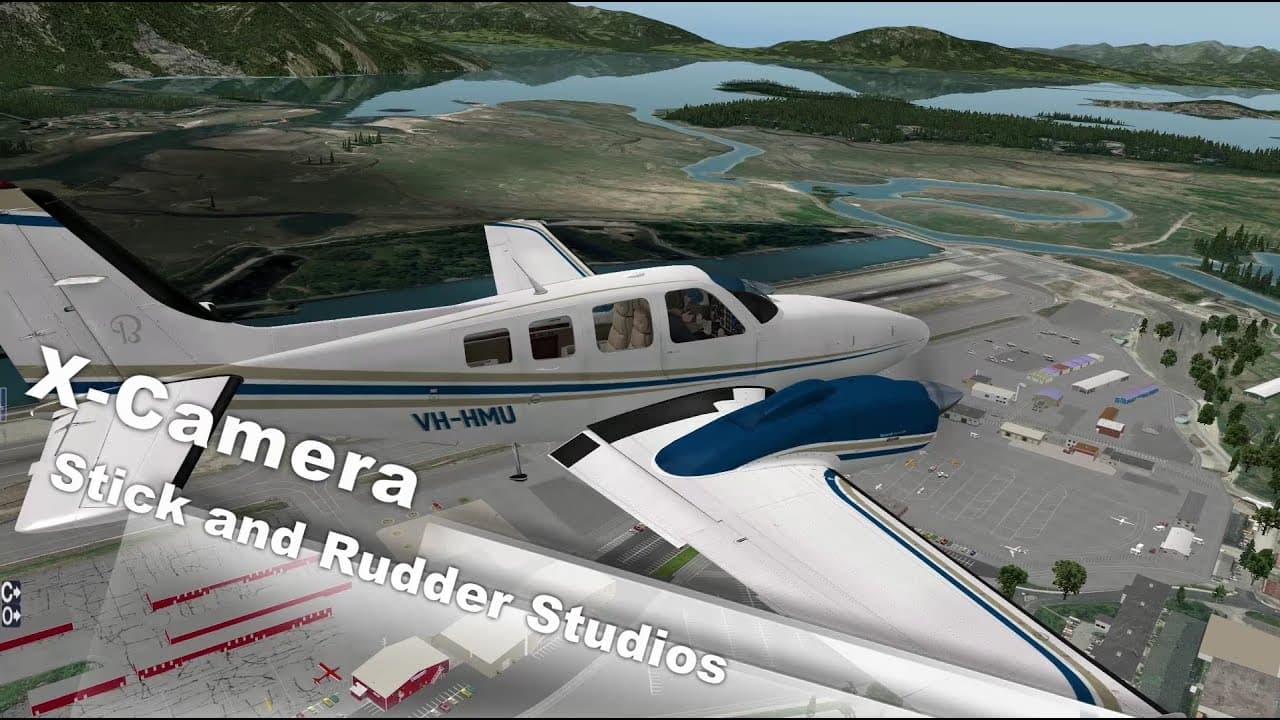
X-Camera for X-Plane 11/12: what is it and why is it needed
X-Camera is a powerful plugin for X-Plane 11/12 that revolutionizes the simulator's camera system. Create cinematic looks, save your own camera angles and control your camera with never-before-seen flexibility ✈️
The plugin allows you to place the camera anywhere in space, create smooth transitions between views and save an unlimited number of your own angles. This is a tool for both content creators and regular virtual pilots who want to make their flights more immersive and convenient.
Main features of the plugin 🌟
Unlimited custom views
Create and save cameras anywhere on the plane and in the surrounding area. Want a view of the wingtip during approach? Or a close-up of the dashboard? X-Camera allows you to save any angle and return to it instantly.
Smooth cinematic transitions
Forget about abrupt switching between cameras. X-Camera provides smooth movement between saved views, making the flight experience more cinematic and pleasing to the eye. Adjust the transition speed to suit your preferences.
Flexible camera movement settings
Control the inertia of the camera, its reaction to turbulence and aircraft movements. Do you want a stable picture or, conversely, maximum realism with shaking and bumpiness? X-Camera gives you complete control.
Profiles for different aircraft
The plugin automatically saves camera settings for each aircraft separately. Switching from a Boeing 737 to a Cessna 172? All your saved views for each side remain in their places.
Who is this plugin for? 👥
Content Creators
Whether you record videos of your flights for YouTube or stream on Twitch, the X-Camera becomes an indispensable tool. Cinematic angles, smooth transitions and the ability to show the aircraft from any side - all this takes the quality of content to a new level.
Complex aircraft enthusiasts
Do you fly with detailed addons like FlightFactor or ToLiss? X-Camera allows you to create views of important panels and systems that you can quickly switch between. This is especially useful when learning new aircraft or performing procedures that require control of multiple panels at once.
Lovers of immersive flights
Even if you're not creating content, X-Camera adds a new dimension to regular flying. Watch the landing gear extend from the external camera, monitor the engines during takeoff, or simply enjoy the views from the passenger cabin window.
Practical use cases 💡
Training and procedures
Create cameras for each important phase of flight. A view of the overhead panel for starting the engines, a close-up view of the FMS for programming the route, a view of the instrument panel for the landing approach - quick switching between them makes the procedures more convenient.
Exploring Airports
Set up cameras to monitor your surroundings while taxiing. This is especially useful at large airports with complex taxiway layouts where it is important to see everything around the aircraft.
Compatibility and requirements ⚙️
X-Camera works with both X-Plane 11 and X-Plane 12, providing equally stable performance on both versions of the simulator. The plugin is compatible with the vast majority of aircraft addons, including complex models from PMDG, FlightFactor, ToLiss, Rotate and other developers.
System requirements are minimal - if your computer runs X-Plane, it can run X-Camera. The plugin is optimized and has virtually no effect on the performance of the simulator.
Is it worth buying? 💰
X-Camera is considered one of the must-have plugins for X-Plane, and for good reason. It solves the real problem of the limitations of a standard camera system and does it elegantly and effectively.
If you:
Create content about X-Plane
You fly complex addons and want ease of use when working with systems
Appreciate beautiful pictures and cinematography
Want more control over views in the simulator?
...then the X-Camera will justify every ruble spent on it.
Where to buy? 🛒
X-Camera is available for purchase in the official X-Shop. You get a license that works on all your computers, regular updates and technical support from the developers.