Guide: PMDG Simulations for MSFS
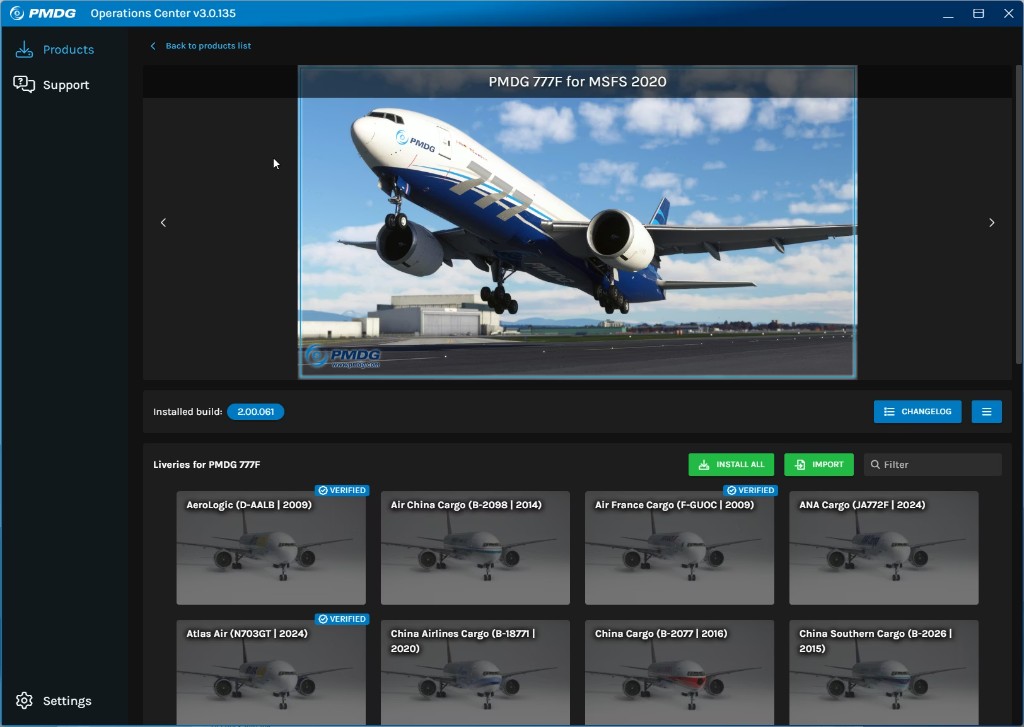
After purchase, X-Shop provides a ready PMDG account. Install Operations Center 3, sign in, and download your aircraft.
After payment, open your X-Shop email or Telegram message — it contains the PMDG account login and password.
Download PMDG Operations Center 3 from pmdg.com and install it.
Launch Operations Center 3 and sign in with the email and password from the store message.
Under My Products, select your purchased aircraft and click Install (or Download).
Choose your Microsoft Flight Simulator folder if prompted and wait for the installation to finish.
Install updates and optional liveries from the same OC 3 window if needed.
Launch Microsoft Flight Simulator and select your installed PMDG aircraft.
The aircraft is ready to use. Enjoy your flights!