MSFS • Add-onsIn stock:
Aerosoft Tool Simple Traffic for MSFS 2020
A simple tool with one task - to remove these default fake liveries from the simulator and replace them with real ones 🛬 That is, Delta will fly in Atlanta, KLM in Schiphol, and Air France around Paris, as it should be. Features: 🎨 More than 160 real airlines (the list is constantly growing with updates) 🗺️ Over 140…
Price
259 ₽Instant delivery after payment
Ready to ship
+25 bonus points
Instant delivery after payment
Can add: 6
Description
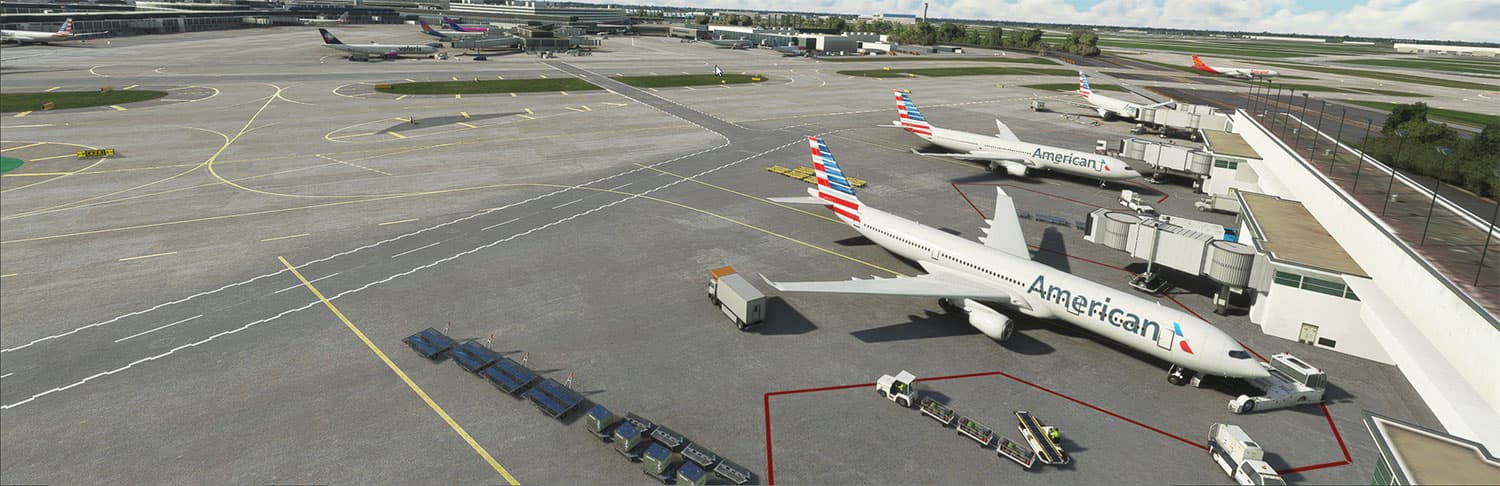
A simple tool with one task - to remove these default fake liveries from the simulator and replace them with real ones 🛬 That is, Delta will fly in Atlanta, KLM in Schiphol, and Air France around Paris, as it should be.
Features:
🎨 More than 160 real airlines (the list is constantly growing with updates)
🗺️ Over 1400 offline routes collected based on 30+ million records of real ADS-B data
⚡ Zero impact on FPS - just set it and forget it
🔧 Zero entry threshold: all settings through the standard simulator interface
🤝 Fully compatible with other AI traffic addons and megapacks, works as a fallback where they don’t have their own liveries
🌐 Supports both Online AI (based on live traffic data) and Offline AI modes
Compatibility:
🎮 Simulator: MSFS 2020
🔑 Activation: via Aerosoft One (Aerosoft account required)
📦 Required: nothing additional, standalone product
Warnings:
⚠️ There are no refunds after activation
ℹ️ The product applies liveries only to default MSFS aircraft models (twin/four-engine jet, regional jet) - does not replace 3D models
Share
Support
Frequently asked questions
How quickly will I receive my order after payment?
Right after your payment is confirmed. The key or download link appears in your account and is also sent to your email within a few minutes.
Where can I find my purchased key or files?
In the “My Orders” section of your account. It stores all your keys, download links and purchase history — your access stays with you forever.
How do I activate the key?
Every product comes with a short activation guide. Usually you just enter the key in the add-on installer or the simulator store. If anything is unclear, our support team will help.
What if the key doesn't work?
Contact support and attach a screenshot of the error. We'll look into it and replace the key for free if the problem is on our side.
Which payment methods do you accept?
Bank cards, SBP, as well as cryptocurrency and other methods depending on your region. You'll see the available options at checkout.
Loading...
You may also like
Popular alternatives
MSFS • Add-ons
Best sellerIn stock

FSRealistic PRO for MSFS 2020/2024
Key instantly to your emailMSFS • Add-ons
Best sellerIn stock

BeyondATC Base Pack for MSFS 2020/2024
Key instantly to your emailMSFS • Add-ons
Best sellerIn stock

GSX Pro (Ground Services X) for MSFS 2020/2024
Key instantly to your emailMSFS • Add-ons
Best sellerIn stock

FS2Crew: Microsoft ATR Edition for MSFS 2020 / 2024
Key instantly to your email